This file is from content/post/2021-02-09-example/index.Rmd. I made it by running blogdown::new_post("example", ext = ".Rmd") in the console.
Note that images like the one above are stored in static/images in your project folder.
Just like an RMarkdown
Show code …
library(tidyverse)
msleep %>%
  group_by(vore) %>%
  summarize(`average body weight` = mean(bodywt))
## # A tibble: 5 × 2
## vore `average body weight`
## <chr> <dbl>
## 1 carni 90.8
## 2 herbi 367.
## 3 insecti 12.9
## 4 omni 12.7
## 5 <NA> 0.858… or a nicer table …
| vore | average body weight |
|---|---|
| carni | 90.75111 |
| herbi | 366.87725 |
| insecti | 12.92160 |
| omni | 12.71800 |
| NA | 0.85800 |
… or make a plot.
ggplot(msleep, aes(x = sleep_total, y = bodywt)) +
  geom_point() + scale_x_log10() + scale_y_log10()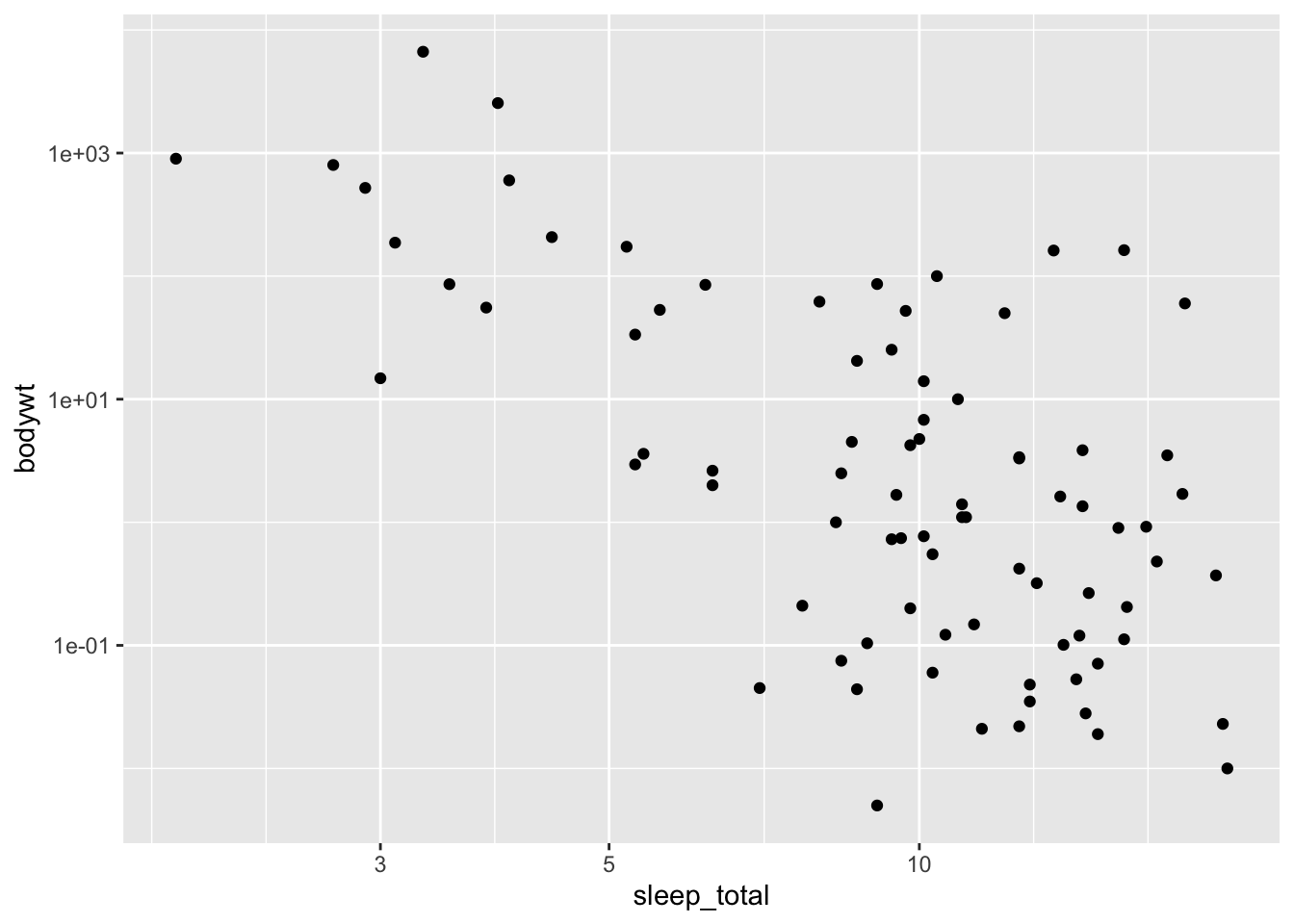
Figure 1: Wow captions too!
I can even put in some math \(e^x\) or a displayed equation \[e^{\pi i} + 1 = 0.\]
Creating a new post
To create a new post you can run
blogdown::new_post("Post title", ext = ".Rmd")Alternatively, you can use the “Addins” menu.

Just make sure to select .Rmd for the format so you can include and run R code.
I can’t see my updates
When you want to see how the changes or additions you made will look on the website, you need to run blogdown::serve_site() which will knit Rmd files as they change and create a local web server that you can use to preview the site.
If you are not seeing the changes you were hoping for:
Check to make sure you are not getting any knitting errors. In the Console, you might something like
Error : Failed to render content/post/2021-02-09-example/index.RmdYou should look above that for any errors. Usually it will say something likeQuitting from lines 83-84 (index.Rmd)which can help you to isolate where the error is. (Note, it might not be in the file you have been editing if an error was introduced by a team mate).If you don’t see any errors, it might be that
serve_site()hasn’t yet recognized the changes you’ve made. To force it to compile you can add a small change to the .Rmd files, like a line break. This will update the modification time on the file which should cause the file to be knitted. Another option is to use Addins -> Touch File (see screenshot above).